
Entering the answer key
You enter a separate answer key for every booklet type. There are three ways.
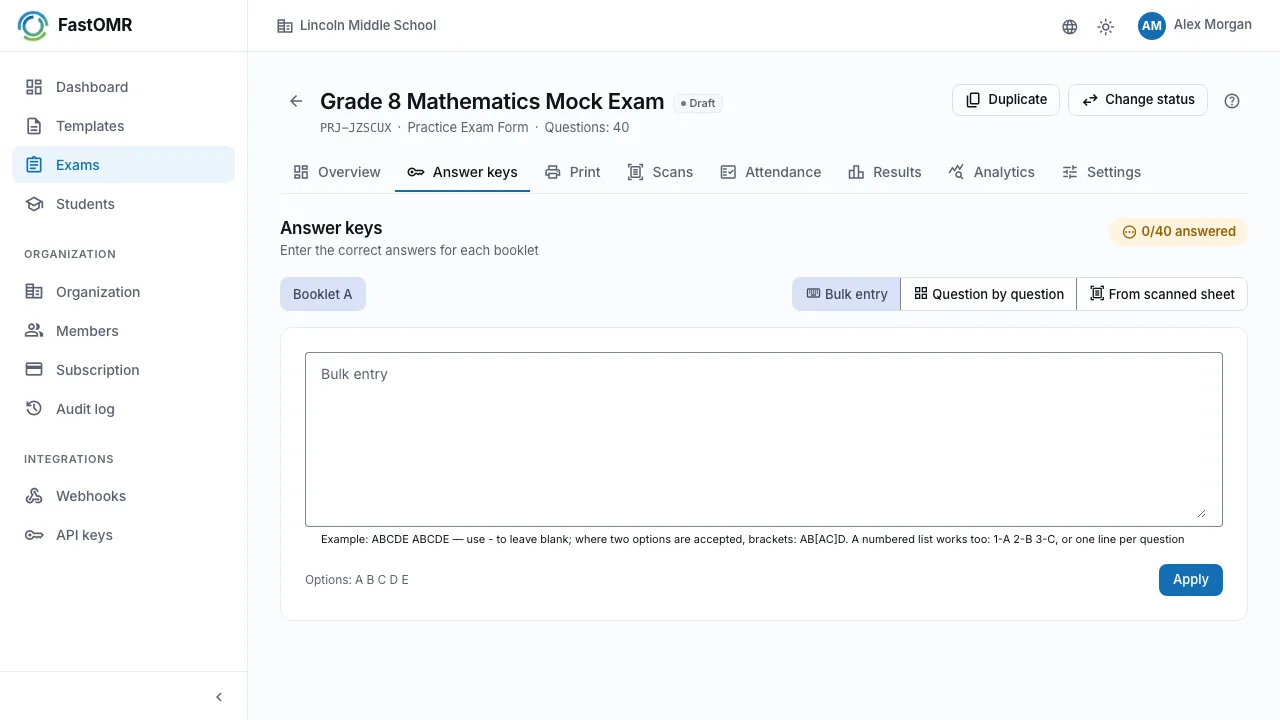
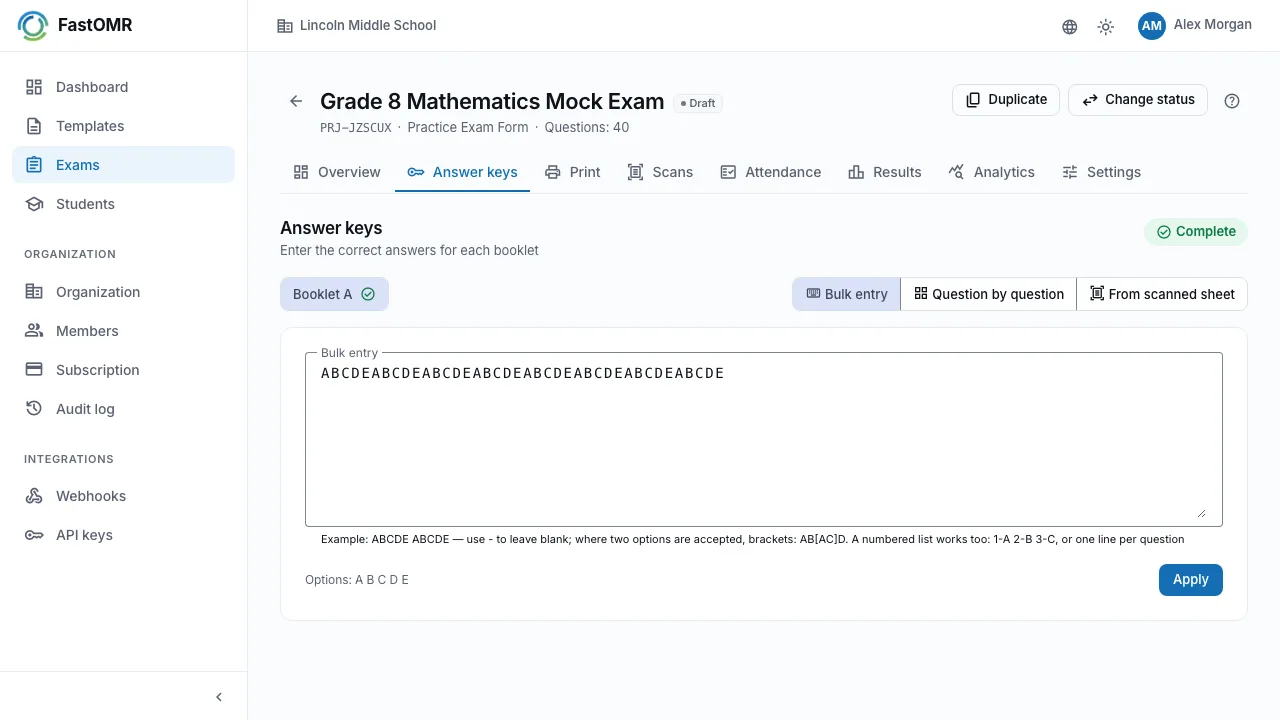
ABCDEABCDE… Spaces and commas do not matter;
group them however you like. If the key you hold is a numbered list, paste that as it is —
1-A 2-B 3-C, line by line as 1. A, or number–letter columns copied from a spreadsheet:
the numbers say where each letter goes, and a skipped question stays blank. As you type, the line beside the
button shows how many questions are written, the next one and its subject, letters too many, and the questions
whose letter is not an option — a letter left out shows before the key is saved.Leaving a question blank
In bulk entry, use a dash (-) for a question with no answer. AB-DE leaves the third
question blank. The application tells you, as warnings, which characters it ignored and which questions were left
blank — so a key shifted by accident is noticed. A key may be partial while the exam is a draft or Ready; once it
is collecting sheets every question keeps an answer, and a question that should no longer count is cancelled
rather than emptied.
Question by question lets you mark each question separately; handy for a few corrections. From scanned sheet lets you scan and read a "key sheet" you filled in yourself instead of typing the options. Once a booklet's key is whole, the saved message offers the next step as a button: the next booklet still without a key, or — every booklet keyed and nothing read yet — the Print tab.
Booklets printed with the questions shuffled
If only the options change places between booklets A and B, there is nothing to do: each booklet already has its own key. If the questions change places too, enter the booklet's own order in the Question order box under that booklet's key — "12 3 7 …" means the first row of this booklet carries the exam's question 12.
This does not affect scores; it affects the analysis and the subjects: item analysis groups a question by what it carries rather than by the row it was printed on, and a row counts toward whichever subject's question it carries. Without the order, row 5 of two booklets is taken as one question, and its difficulty comes out as the average of two different questions — a plausible-looking wrong number. Either leave the order out entirely or enter all of it; a partial list is refused. On a two-page sheet whose second page's grid starts at 41, rows and questions are referred to as 41–80.
Cancelling a question covers the whole exam
Whichever booklet's key you cancel a question in, saving writes the same cancellation into the other booklets' keys — onto the row that carries that question in a shuffled booklet. Lifting the cancellation carries over the same way. You do not walk booklet by booklet to score half a hall out of a withdrawn question.
When an appeal makes two options correct
This is not a cancellation: a student who marked A or C is right, one who marked B is still wrong. In bulk entry
use square brackets — AB[AC]D is four questions, the third accepting both A and C. In
question-by-question entry, the ⊕ button beside the row opens the "accept another option as correct" menu;
clicking a marked option again removes it. Clicking an option makes the key that option, it does not add a
second — so two correct answers never stay by accident. Saving rescores the exam; the report card and the review
screen show the question as "A/C", and the answer-key print marks both boxes. Each booklet's key is its own: in a
booklet whose options are ordered differently, you enter the same decision with that booklet's letters.
Last updated:
Could not find what you needed? Write to [email protected] — tell us the screen and what you expected to happen.