
Connecting your own software
If the school's own software — its student information system, its reporting — should read from FastOMR, or be told when something happens, two doors exist: an API key lets a program in, and a webhook lets FastOMR call out. Both are on the Professional and Enterprise plans (§10) and are managed by admins and the owner.
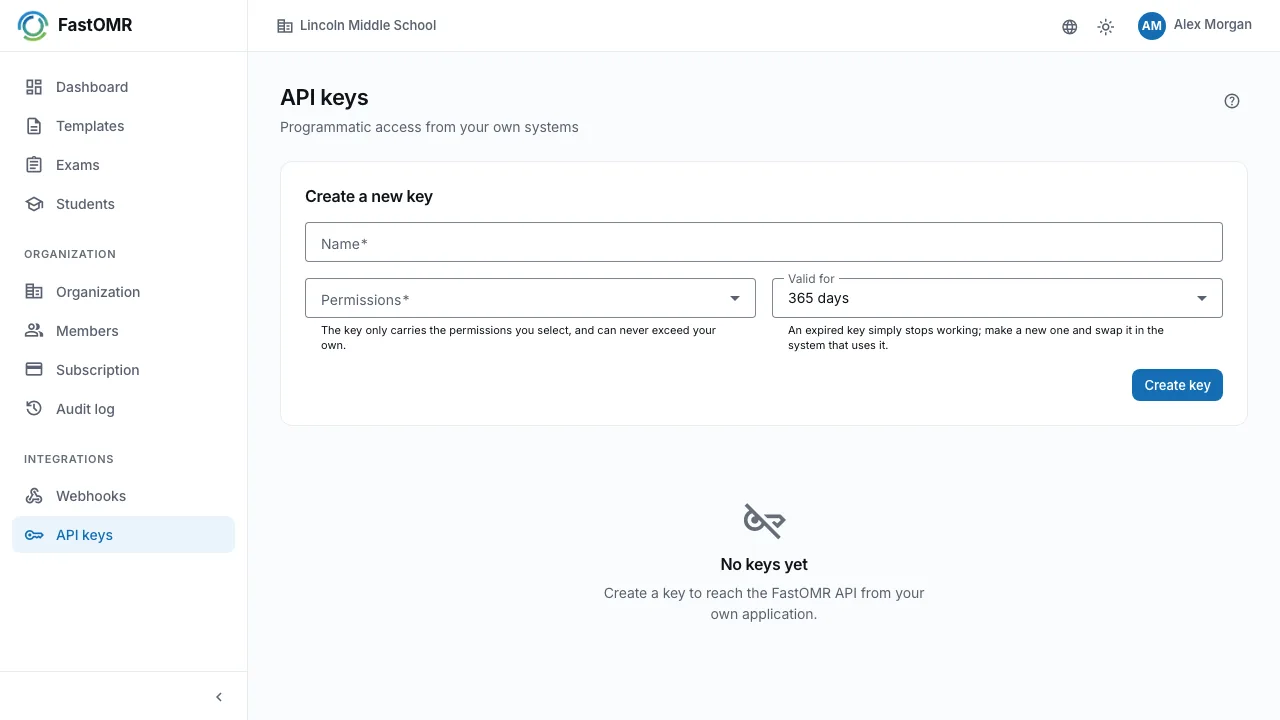
- A key carries only the permissions you select, and never more than yours; and never those that only a person may use — changing or closing the organization, members, other keys, the plan, erasing a student. Give each integration only what it needs.
- An expired key simply stops working and does not count against the plan's limit; make a new one and swap it in. A key goes with the authority of the person who made it: when they leave, are removed or are lowered below what the key needs, it is revoked.
- Every key's creation and revocation is in the audit log.
Using a key#
Every request goes to the installation's address followed by /api/v1, carries the key in an
X-API-Key header, and sends and receives JSON. The complete reference is the OpenAPI document
(docs/openapi.json, and /developers/openapi.json on an installation that publishes its
site); the same site has Developers pages — the API and its errors in English and Turkish, the webhooks in
English.
-
Lists take
page,pageSize(20, at most 100),searchandsortBy, and answeritemsandmeta. -
Errors all have one shape: a
statusCode, acodeto decide on (never the message), therequestId— quote it when you write to whoever runs the installation — and, for refused input,issuessaying where. Typical: 401 no key or a revoked one; 402 a plan limit or a feature the plan lacks; 403 the key's permissions do not cover it; 404 not in this organization; 409 changed by somebody else since you read it (VERSION_CONFLICT: read again and apply your change); 422 the input was refused; 429 too many requests, waitRetry-Afterseconds; 503 briefly unable to take the work. -
Retrying safely. A
GETcan be repeated. APOSTorPATCHthat timed out may have been done: send it with anIdempotency-Key— a UUID of your own, new for each request — and send it again with the same key: within a day it is answered as the first time, markedIdempotent-Replayed: true, and its work is done once. The same key with another request answers 422, and while the first still runs, 409; only a success is kept. - Limits. Each key is counted on its own, apart from the people using the interface: 300 requests a minute unless the installation says otherwise, and fewer on a few expensive routes. The plan's limits — sheets read, storage, exams — apply to a key as to a person.
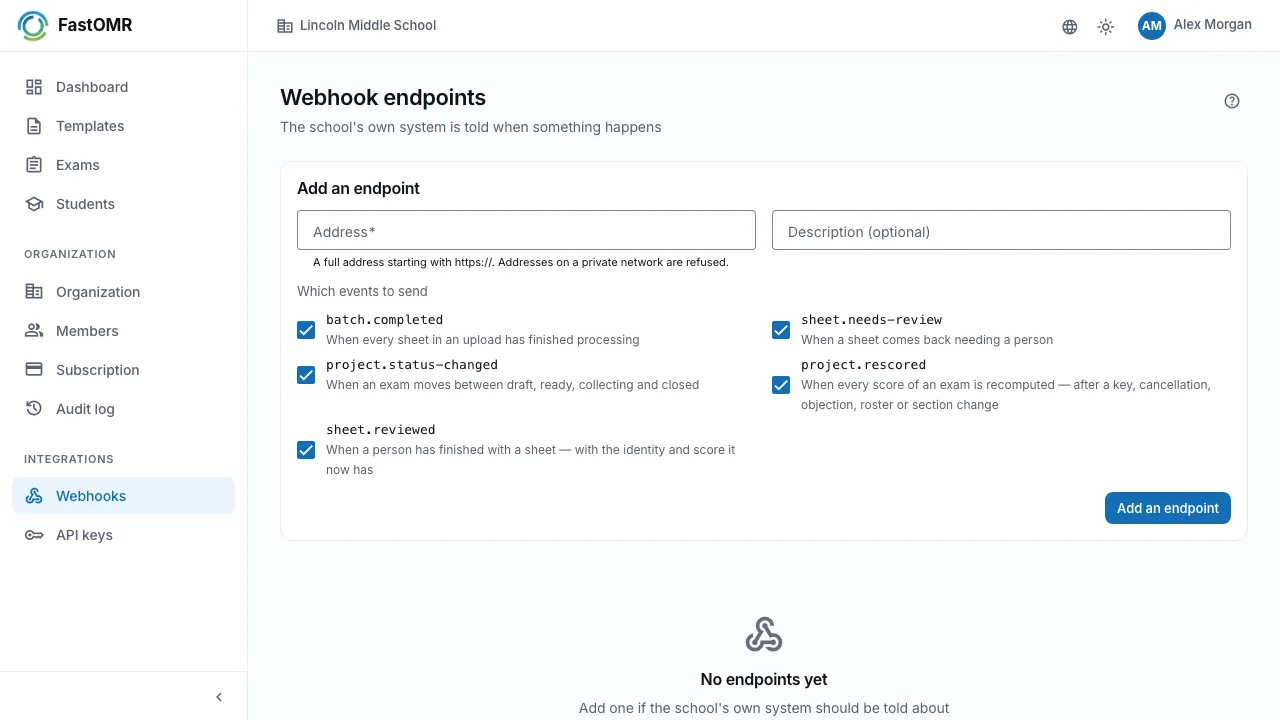
https, and private
network addresses are refused; an address nothing could be delivered to is refused at once.
Send a test sends a signed ping event to the address now and shows the answer (HTTP status
and duration) at once — you see that the other system is reachable and verifies the signature before the first
exam is over.| Event | When it is sent |
|---|---|
batch.completed |
When every sheet in an upload batch has been read |
sheet.needs-review |
When a sheet needs a person to look at it |
project.status-changed |
When an exam moves to draft, ready, collecting or closed |
project.rescored |
When all of an exam's scores are recalculated — after a change to the key, a cancellation, an appeal, the roster or the subjects |
sheet.reviewed |
When a sheet's review is finished, with whatever its identity and score now are |
The signing secret is shown only once
When you add an address a signing secret is generated and shown in full only at that moment. It is how you
verify that a request really came from FastOMR: sign the text made of the timestamp, a dot and the body with
HMAC-SHA256 and compare it with the value in the X-FastOMR-Signature header. If you lose the secret
you can rotate it, but the old one becomes invalid at that instant — rotate it before updating the other system
and the deliveries fail signature verification.
Deliveries are listed on the same screen: each one's state — Waiting, Retrying (with the time of the next attempt), Delivered or Failed — which attempt it was and the error text, if any; a failed one can be sent again once the receiver is fixed. Timeouts, 5xx and refused connections are retried, ten attempts over about a day, with increasing pauses; most 4xx are not retried — you understood the request and refused it, sending the same thing again changes nothing. Each attempt waits ten seconds and redirects are not followed.
An address that keeps failing is followed up: after an hour of failures the owners and admins get a letter, and after five days the address is paused automatically — nothing more is sent to it — with a second letter; Resume once the receiver is fixed. You can also pause an address by hand. A webhook goes with the authority of the person who added it, like a key: when they lose the permission to manage webhooks, their endpoints are switched off.
Last updated:
Could not find what you needed? Write to [email protected] — tell us the screen and what you expected to happen.